Walk into most school front offices and you’ll find the same three artifacts: a visitor sign-in sheet nobody can read, a nurse’s log in a binder, and a stack of pink referral slips waiting for a mailbox. Each one is a system that works — until the day you need it to really work.
Three new Bloomz modules retire all three, on the same platform your staff and families already use.
Visitors: screened at the door, on one visitor board
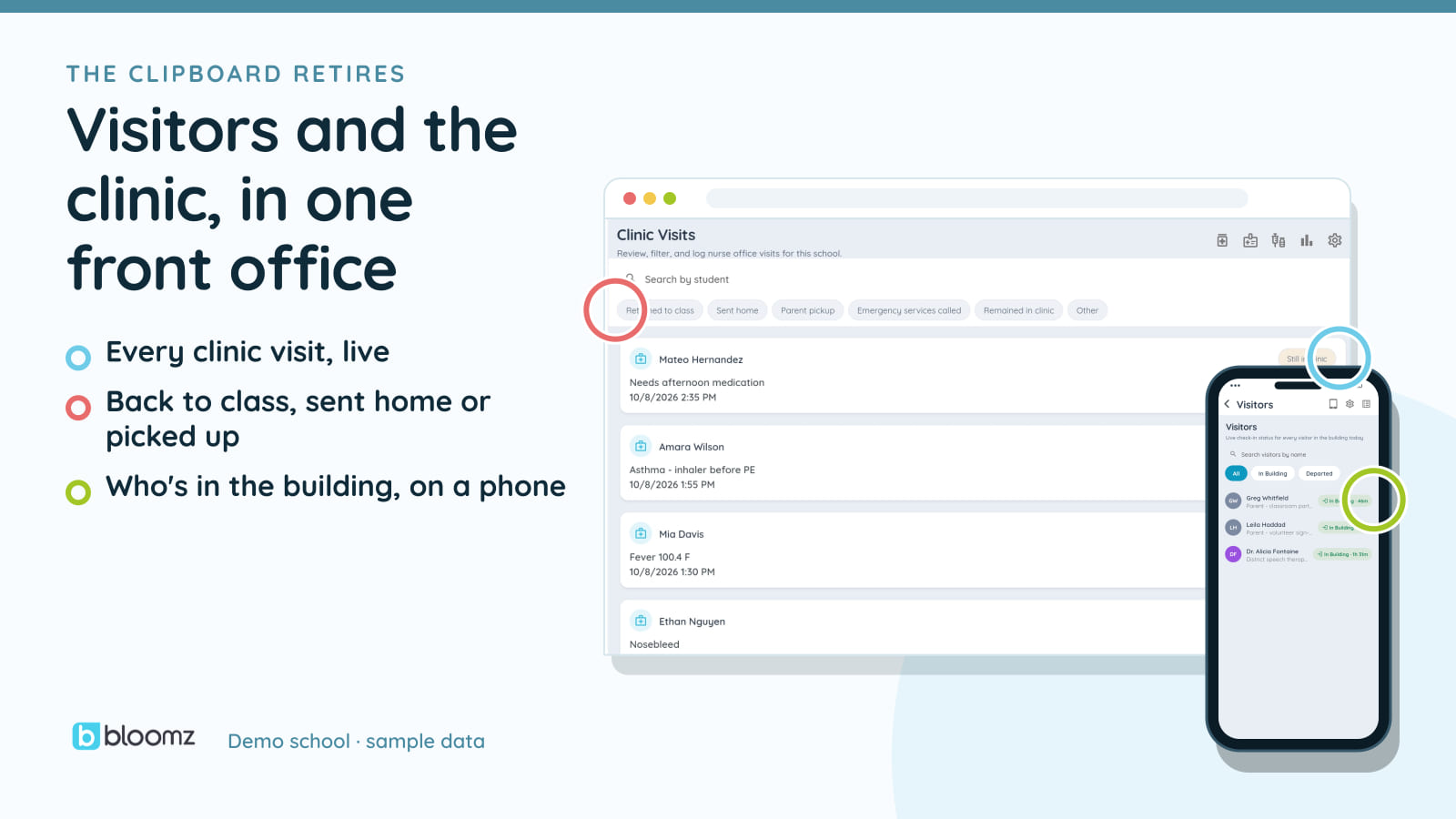
Visitor Management checks every visitor in at a kiosk or the front desk. Every check-in is screened against your school’s own watchlist, and a match raises an alert on the office visitor board. The badge carries the photo, name, date, and destination your policy requires; the host gets a notification that their visitor is on the way.
Visitors sign in on the same platform as your staff and students, so the office sees who is in the building on one visitor board. The book-fair volunteer who signed in at 9:40 is on it, because she signed in on the same platform as everyone else. And when a volunteer signs out, her hours log themselves — nobody fills out a form.
The clinic: context on file, medications confirmed with a tap
Clinic & Medication Log starts every visit with what the nurse actually needs: the student’s allergies, conditions, and medications, surfaced from the health profile already on file — never re-keyed. Complete the visit and the family is notified, in their language.
The medication administration record shows every order due today, one card each, confirmed with a tap at its due time — with a witness requirement your policy can switch on for the medications that need one. It’s the binder, minus the binder, and a CSV export of the visit log.
Referrals: under a minute in, Big-5 out
Office Referrals gives teachers a standardized form they can file from a phone in the hallway — behavior, location, time, others involved, motivation — with an instant notification to the office. Admins triage a queue, record outcomes, and the filing teacher hears back automatically.
Because the data is structured, the reports your PBIS coach expects come out the other end: SWIS-style Big-5 breakdowns by day, time, location, behavior, and student — plus a disproportionality view built with the same statistical suppression discipline as Thrive’s equity analytics. And with Thrive, when one student’s referrals cross the threshold your team sets, Bloomz can open a case and queue a translated family notice.
Why on Bloomz, and not three more point tools
Each of these could be bought separately — that’s exactly the problem. A visitor system that doesn’t know your staff, a clinic log that can’t notify a family in Spanish, a referral tool that can’t see attendance. On Bloomz, all three run on the same platform as the rest of the school day (the clinic feeds the Student Day Timeline), notify families through the app they already open, and show up on one contract.
All three modules are new for 2026-27, off by default, and enabled per district or school. See everything that shipped at bloomz.com/whats-new-2026.